Google Gemini 2.5 Flash: How Nano Banana Image AI Works

......
Loading...
Get the Next.js weekly drop
Free weekly notes on App Router, auth, and frontend stacks that ship. No spam—just what's worth your inbox.
By subscribing you agree to our Privacy Policy.
Google’s Gemini 2.5 Flash Image Preview (Nano Banana): How It Works and Why It Matters
If you’ve been following AI image generation, you’ve probably noticed how fast the tools keep evolving. Just when we think we’ve reached peak realism, a new model drops and pushes the boundaries again.
Last week, Google introduced Gemini 2.5 Flash Image Preview, also nicknamed “nano banana”—a quirky name for one of the most powerful image generation and editing models yet.
I’ve been experimenting with it since launch, and in this post I’ll share how it works, my first impressions, and what it means for AI developers, digital artists, marketers, and educators.
Let’s start with the obvious question: why is everyone suddenly talking about this?
Google didn’t just release another image model—they launched a fast, accessible, and highly detailed image editor inside Gemini AI Studio. The “nano banana” name comes from an internal codename, but the real story is the capabilities:
For developers and creators, that combo makes it more than just a novelty—it’s a potential workflow upgrade.
// To run this code you need to install the following dependencies:
// npm install @google/genai mime
// npm install -D @types/node

import {
  GoogleGenAI,
} from '@google/genai';
import mime from 'mime';
import { writeFile } from 'fs';

function saveBinaryFile(fileName: string, content: Buffer) {
  writeFile(fileName, content, 'utf8', (err) => {
    if (err) {
      console.error(`Error writing file ${fileName}:`, err);
      return;
    }
    console.log(`File ${fileName} saved to file system.`);
  });
}

async function main() {
  const ai = new GoogleGenAI({
    apiKey: process.env.GEMINI_API_KEY,
  });
  const config = {
    responseModalities: [
        'IMAGE',
        'TEXT',
    ],
  };
  const model = 'gemini-2.0-flash-preview-image-generation';
  const contents = [
    {
      role: 'user',
      parts: [
        {
          inlineData: {
            data: `LINK_OF_IMAGE_HERE`
            mimeType: `image/jpeg`,
          },
        },
        {
          text: `INSERT_INPUT_HERE`,
        },
      ],
    },
  ];

  const response = await ai.models.generateContentStream({
    model,
    config,
    contents,
  });
  let fileIndex = 0;
  for await (const chunk of response) {
    if (!chunk.candidates || !chunk.candidates[0].content || !chunk.candidates[0].content.parts) {
      continue;
    }
    if (chunk.candidates?.[0]?.content?.parts?.[0]?.inlineData) {
      const fileName = `ENTER_FILE_NAME_${fileIndex++}`;
      const inlineData = chunk.candidates[0].content.parts[0].inlineData;
      const fileExtension = mime.getExtension(inlineData.mimeType || '');
      const buffer = Buffer.from(inlineData.data || '', 'base64');
      saveBinaryFile(`${fileName}.${fileExtension}`, buffer);
    }
    else {
      console.log(chunk.text);
    }
  }
}

main();
More info : Gemini AI Docs
Here’s a simplified breakdown of how the model functions:
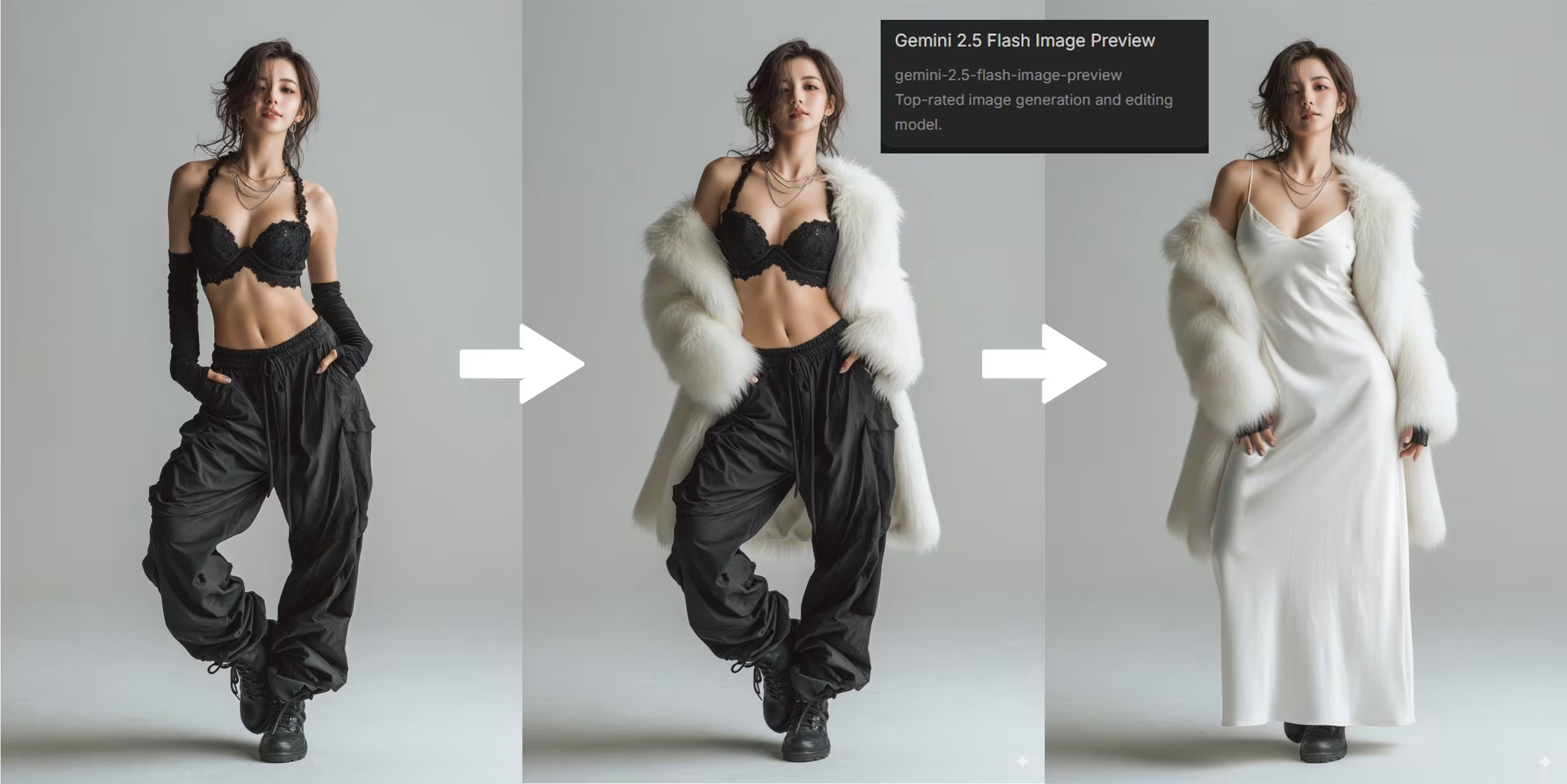
Generative + Editing Capabilities
Unlike earlier models, Gemini 2.5 Flash Image Preview doesn’t force you to pick between “generate” and “edit.” It blends both. For example:
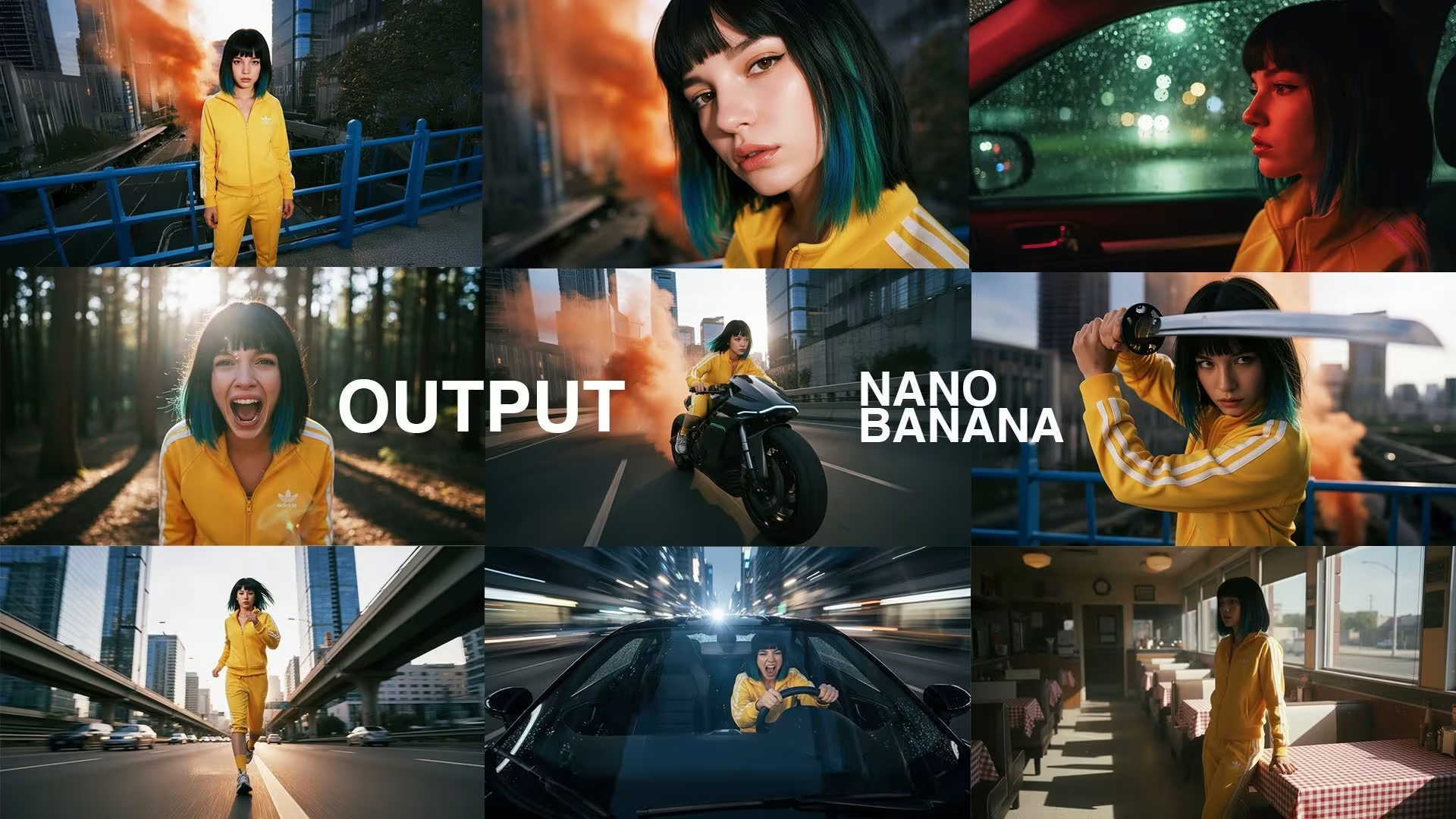
Real-time Feedback
The UI makes it feel more like Photoshop than a black-box AI tool. You can preview, tweak, and refine quickly.
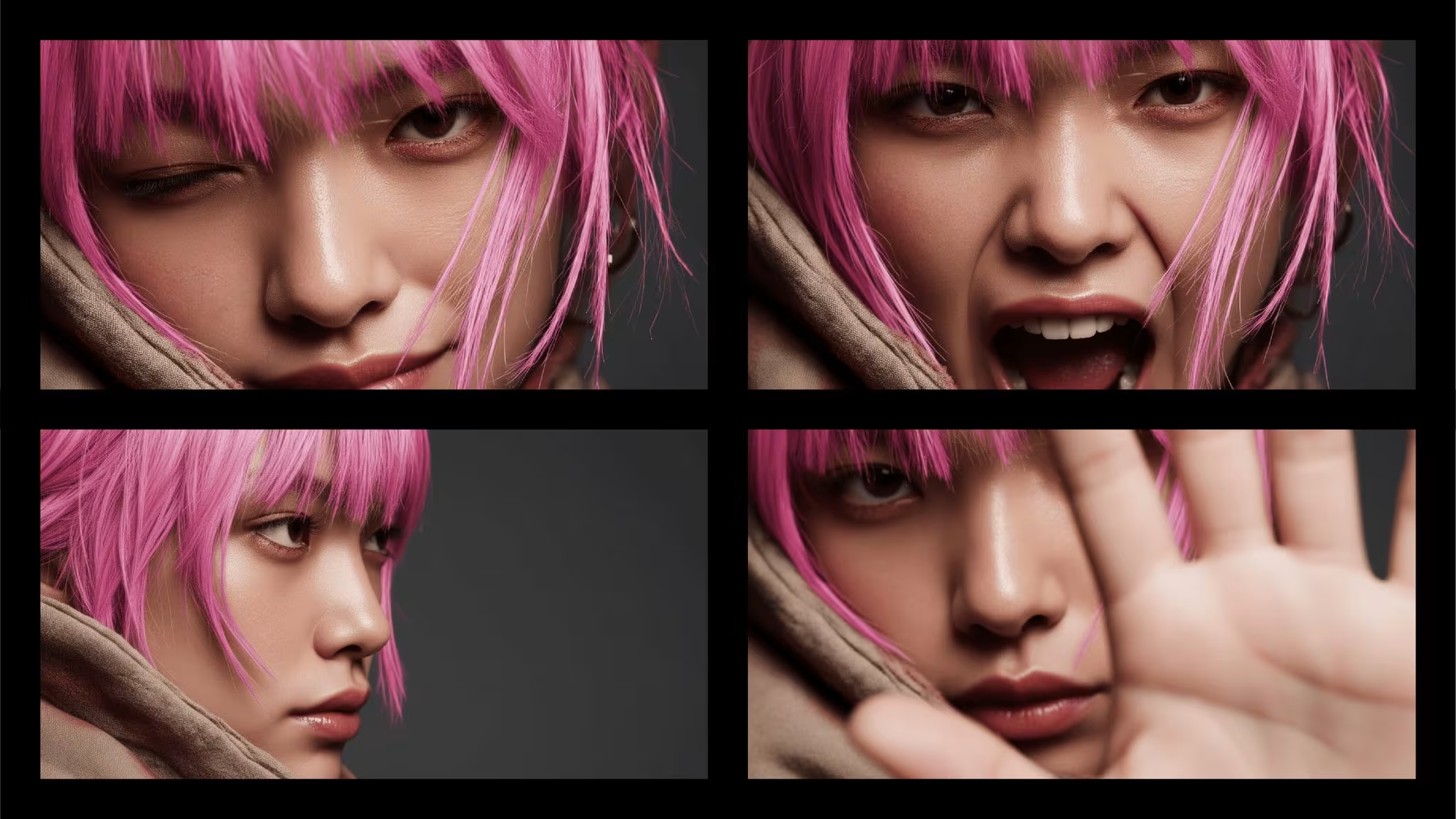
Multi-modal Context
The model understands not just the objects in an image, but their relationships. For example, if you ask it to make the background “sunset on a beach,” it knows how to light the subject accordingly.
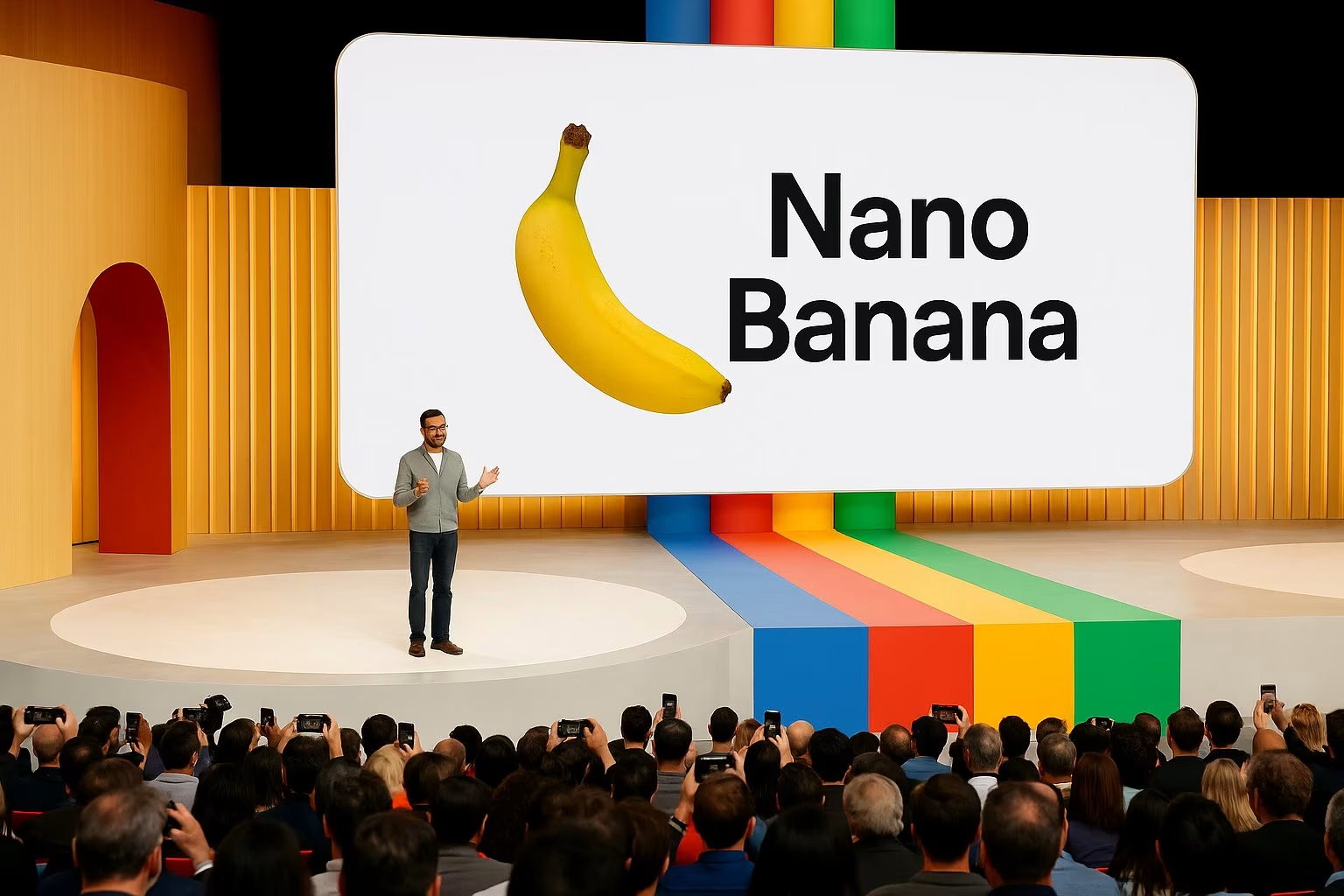
In short, it combines the generative power of AI with the intuitive editing flow creatives already expect.
I approached Gemini’s new model like I would any creative tool—by throwing real-world tasks at it. Here’s what stood out:
That said, it’s not perfect:
Gemini 2.5 Flash Image Preview isn’t just about pretty pictures. It signals where multi-modal models are heading: tools that merge text, image, and context seamlessly. For developers building creative apps, it’s a strong signal to design around editing + generation rather than one or the other.
This is a double-edged sword. On one hand, it’s empowering—faster iterations, more control, and a chance to push boundaries. On the other, it raises the usual concerns about originality and over-reliance on automation. My take? Think of it as a creative collaborator, not a replacement.
The speed and quality here are huge. Imagine producing ad variations, social media visuals, or product mockups in minutes. Instead of outsourcing or waiting days for revisions, marketers can test campaigns instantly.
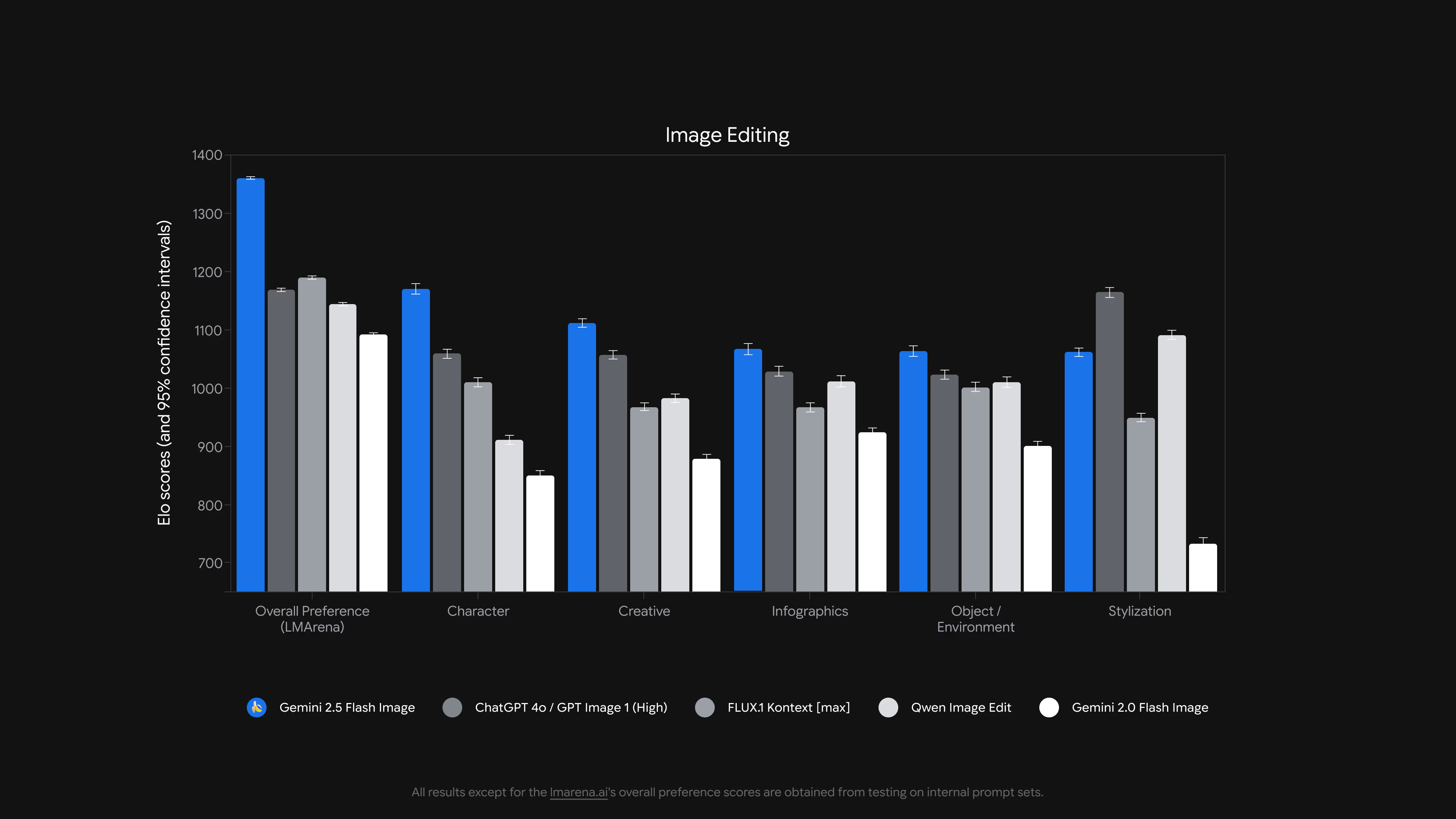
There are plenty of AI image generators out there—MidJourney, DALL·E, Stable Diffusion—but Gemini 2.5 Flash Image Preview adds a few differentiators:
In other words: this isn’t just for power users—it’s built for everyone.
If you’re curious about AI tools that reshape creative work, Gemini 2.5 Flash Image Preview is worth trying. Whether you’re coding the next-gen app, sketching your latest artwork, planning a marketing campaign, or teaching students, this tool hints at where image generation is heading.
👉 Want more breakdowns like this? Subscribe to my newsletter and get:
Stay ahead of the curve—because AI isn’t slowing down.
Have you tried Gemini’s nano banana yet? Drop me a message on X —I’d love to hear how you’re using it.